Cybersecurity Awareness Month Tips: Where to Actually Start
October is Cybersecurity Awareness Month, and you’re about to hear a lot of advice. Use stronger passwords. Turn on multi-factor authentication. Update your devices. Watch for scams. Check your privacy settings.
All of it is good advice. Together, it’s a to-do list nobody finishes.
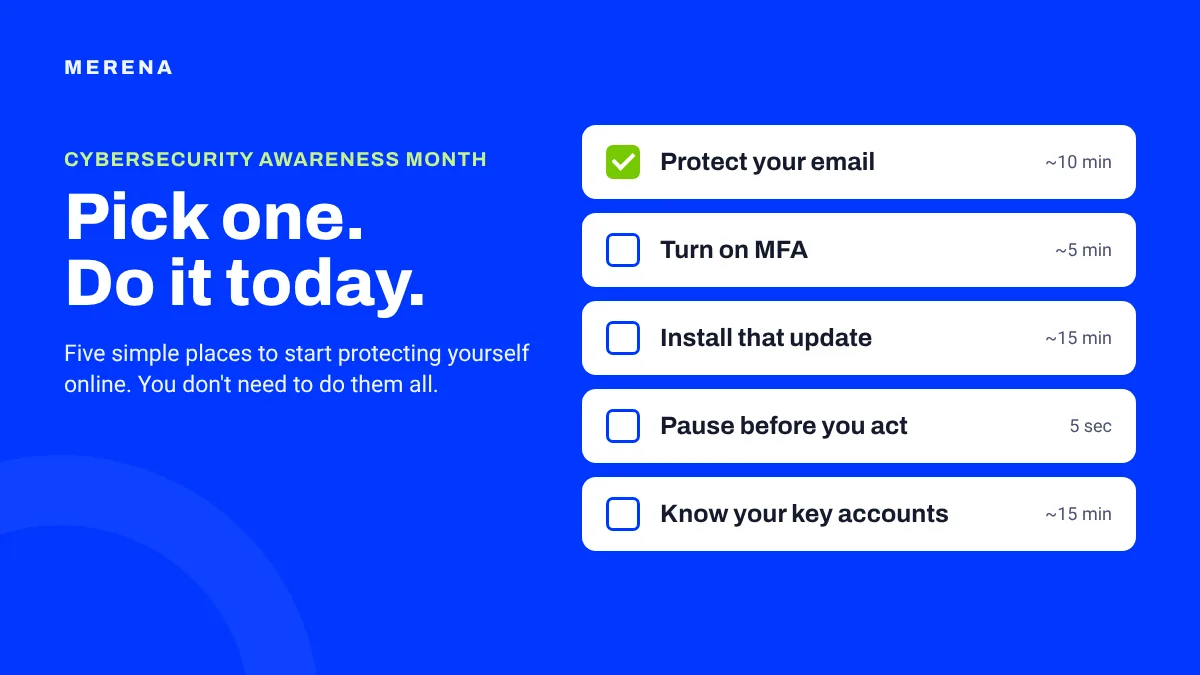
So here’s a different approach to protecting yourself online this month: pick one thing and do it today. Below are five simple places to start, how long each one takes, and a quick way to choose. You don’t need all five. One is enough for today.
Five simple ways to protect yourself online
1. Protect your email first
Time: about 10 minutes
If you only have time for one account, make it your email. It’s the key to almost everything else. Shopping sites, banks, social media and other services send password resets and sign-in codes there, so whoever controls your email can often get into the rest.
Three quick checks:
- Use a strong password that you don’t use anywhere else. If your email password is also your password for a shopping site, a breach at that site puts your inbox at risk too.
- Turn on multi-factor authentication (MFA). More on that in step 2.
- Make sure your recovery email and phone number are current. That’s how you get back in if you’re ever locked out.
Want more? Read simple ways to protect your email, and learn how to tell if your email has been hacked.
2. Turn on multi-factor authentication for one important account
Time: about 5 minutes per account
Multi-factor authentication adds a second step when you sign in, like a code sent to your phone or a prompt in an app. If someone gets your password, that second step can still stop them.
After your email, good places to turn it on are:
- Your bank and other financial accounts
- Your Apple or Google account
- Healthcare portals
- Social media accounts
- Any other account that holds important personal information
You’ll usually find it under Settings, then Security or Sign-in, labeled “two-step verification” or “two-factor authentication.” Don’t try to do them all today. Choose one and turn it on.
3. Install the update you keep putting off
Time: about 15 minutes, mostly waiting
If your phone has been nagging you about an update all week, this is your sign.
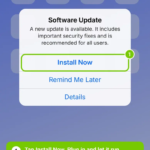
Why are software updates important? They aren’t only about new features. Many updates fix security holes that attackers already know about, which is why keeping your phone, computer, tablet and apps current is one of the easiest ways to stay safer. We cover this in why you shouldn’t ignore that security update notification.
While you’re in Settings, turn on automatic updates so you don’t have to think about it next time. And the next time you see “Remind Me Later,” tap “Update” instead.
4. Pause before you act on an unexpected message
Time: 5 seconds
Not every scam is easy to spot. A text might look like it’s from your bank. An email might say there’s a problem with your account. A message might seem to come from someone you know.
Instead of trying to memorize every type of scam, build one habit: pause and verify.
If a message is unexpected, urgent, or asks you to share information, click a link or send money, give yourself a moment before you respond:
- Open the company’s app yourself, or type the website address into your browser.
- Call the person or company using a number you already trust.
- Not sure about a link? Here’s how to check if a link is safe before you tap it, and the signs of a scam email.
You don’t have to decide right away whether a message is real. Taking time to check is the whole point. And if you already clicked something, don’t panic: here’s what to do in the next 10 minutes.
5. Know which accounts matter most
Time: about 15 minutes
You probably have more online accounts than you realize. They pile up one at a time: a shopping account here, a streaming service there, a healthcare portal, a school app, a new device. As we covered in your online life keeps changing, and your protection should keep up, it’s easy to lose track of how much you’re actually managing.
You don’t need a spreadsheet of every account you’ve ever opened. Start with the ones that hold important personal, financial or family information. Then, if you find accounts you no longer use, close them. Here’s how to find every account linked to your email.
Not sure which one to pick?
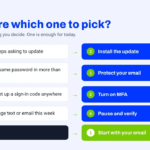
Let what’s bugging you decide:
- Your phone keeps asking to update? Start with step 3.
- You use the same password in more than one place? Start with step 1.
- You’ve never set up a sign-in code anywhere? Start with step 2.
- You got a strange text or email this week? Start with step 4.
- Still not sure? Start with your email. It protects the most for the least effort.
Pick one. Seriously.
If you reached this point thinking you now have five more things to do, you don’t. Pick one:
- Turn on MFA for your email.
- Update your phone.
- Check the recovery information on an important account.
- Close an account you no longer use.
Then you’re done for today. Cybersecurity Awareness Month runs until October 31, so there’s time for another one next week. One action you actually take is worth more than ten tips you plan to get to someday.
Awareness is the starting point
There’s a reason it’s called Cybersecurity Awareness Month. Knowing about online risks matters. But awareness is most useful when it leads somewhere: you notice something, you understand whether it deserves your attention, and you know what to do next.
That’s what prevention looks like. It doesn’t take complicated technology or hours of changing settings. It might be updating a device, protecting one account, or taking an extra few seconds to check an unexpected message. Small habits like these, done before there’s a problem, make staying safer online much more manageable.
Doing this with family? Our Family Online Safety Checklist is a free printable you can work through together.
How MERENA helps you take the next step
There’s no shortage of cybersecurity advice out there. MERENA isn’t here to hand you another long list to worry about. MERENA is your personal cyber advisor: it helps you understand which alerts deserve your attention and gives you clear guidance on what to do next.
Not sure where to begin? Start with your email. Use MERENA’s free email checker, right at the top of the homepage, to see whether your email has appeared in a known data breach. If it has, you’ll get guidance on what to do next, and our guide on what to do after a data breach walks you through it step by step.
Looking out for more than yourself? MERENA+ Family brings the whole family’s alerts under one plan, so you know whose alert is whose.
Cybersecurity Awareness Month FAQ
When is Cybersecurity Awareness Month?
Every October. It started in 2004 and is led in the US by the Cybersecurity and Infrastructure Security Agency (CISA) and the National Cybersecurity Alliance.
What is the most important cybersecurity tip for individuals?
Protect your email. It’s the account most other accounts use for password resets, so a strong unique password and multi-factor authentication there protect a lot at once.
Do I need to do all of these tips at once?
No. Pick one, do it today, and come back for another later in the month. Small steps you actually take add up.
How do I know if my email was in a data breach?
Use MERENA’s free email checker at the top of merena.com. It shows whether your email has appeared in a known data breach and what to do next.