Your Online Life Keeps Changing. Your Protection Should Keep Up.

Compare your phone today to your phone a year ago. Same device, maybe. But a different life is running through it.
New accounts get added, old ones get forgotten, and none of them ever feel like a single, noticeable change.
That’s the real challenge. Your online life expands little by little, making it easy to lose track of just how much you’re managing.
Staying safer online is about knowing what deserves a second look, and when.
How Your Online Life Changes Over Time
Your online life changes for the same reasons your daily life do. Certain moments add or remove pieces of it, without you deciding to make a change at all.
Here’s what triggers it:
- Your child starts a new school year or activity.
- You switch jobs.
- Your bank or doctor’s office rolls out a new app.
- You try a service, then stop using it.
- You update an email address or password.
- Your family’s needs shift.
None of these moments carry risks on their own. They’re just easy to lose track of when they happen one at a time, spread across months, or even years.

Why Tracking Every Account Isn’t Realistic
You’re already tracking plenty, including bills, school schedules, appointments, travel, and household accounts. Adding a running list of every app and login you’ve ever created on top of that isn’t reasonable.
It’s also bigger than it feels. NordPass says the average person has about 120 personal passwords as of 2026. Most of those belong to accounts you signed up for once and haven’t thought about since.
A list of every account you own goes out of date the moment you finish writing it. Online safety should make your life easier to manage. It shouldn’t give you another list to maintain.
When to Pay Attention to Your Online Accounts
To keep a check on your online safety, you need to notice four specific moments when they happen.
Adding a New Account
The best time to protect a new account is the moment you create it. Make sure you:
- Pick a strong password that is not used anywhere else.
- Turn on multi-factor authentication if it’s offered.
Handle these at sign-up, and you’re covered. Wait, and you’re relying on default settings built for convenience.
Adding or Replacing a Device
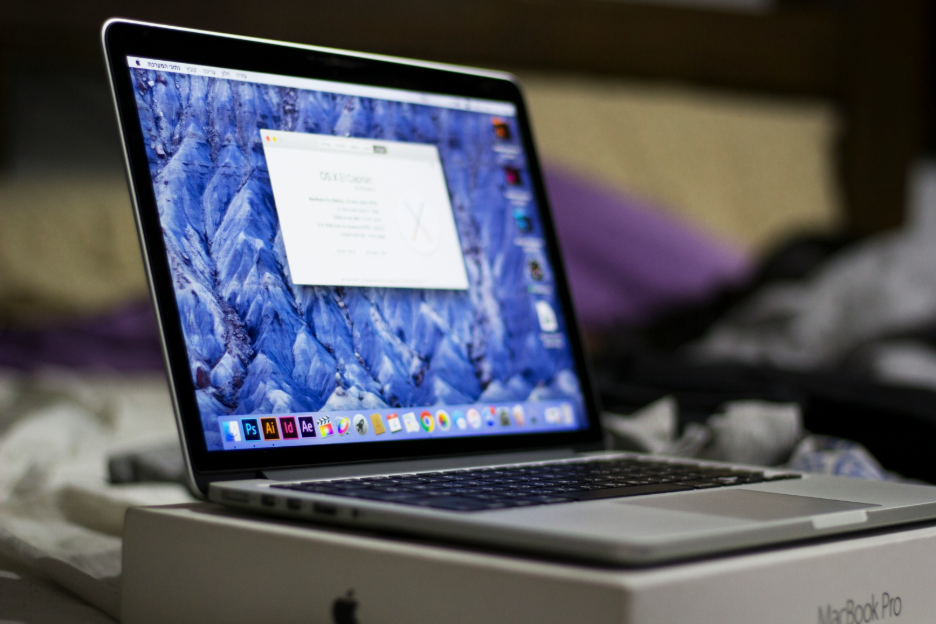
A new phone, tablet, or laptop is simpler to secure on day one. Do it before it starts storing your accounts, photos, and login details. Start with these four steps:
- Install the latest updates.
- Set a strong passcode or enable a biometric lock.
- Review privacy and security settings.
- Confirm that your important accounts are signed securely.
Do this at setup, and protection comes built in.
Removing Accounts You No Longer Use
The best time to close an account is when you stop using it. Ask yourself, for your older accounts:
- Do you still use it?
- Does it still need your personal information?
- Would you notice if it disappeared?
If the answer is no, close it. Fewer accounts mean fewer places where your information can be exposed.
Responding to Unexpected Account Activity
This is the one moment you don’t get to choose. It shows up uninvited, in the middle of an ordinary day.
Watch for:
- A login you don’t recognize
- A password-reset email you didn’t request
- A security alert from an account you use
- An account that looks or acts different than usual
Each one is worth a quick look. Pause, see what happened, and act if you need to.
Why Prevention Works Best as an Ongoing Habit
An annual security checkup only looks at one date a year. Everything that happens in between (a new account, a stolen password, a forgotten app) goes unnoticed until the next check.
That gap is where the damage happens. It takes people three to six months on average to notice identity theft, according to FTC data. Wait past six months, and your odds of losing more than $5,000 nearly double.
Prevention tied to the moment closes that gap. You’re able to catch problems the day they happen.
How MERENA Helps You Keep Up
You don’t have time to track every account and device yourself. No one does.
MERENA closes that gap. It brings your accounts, devices, and personal information into one place, so you’re not piecing your online life together from memory. When something changes or needs attention, MERENA flags it and explains, in plain language, what to do next.
What you share stays yours. We do not need your sensitive information to give you a clearer picture. The result is less time spent keeping track, and more time protected.
See how MERENA+ helps you keep up with your online life, understand what deserves attention, and act with confidence.